Gift-giving is supposed to make people feel special. Finding the perfect gift isn’t always easy. From remembering special occasions to choosing something meaningful, gifting can sometimes feel more stressful than exciting. This is where a social gifting app comes in. By bringing together wishlists, event planning, gift sharing, and reminders, these apps make gifting easier and more thoughtful.
However, building a social gifting platform requires more than just adding features. It involves creating a smooth user experience, managing gift coordination, and protecting personal information. This guide explores the essential features, development process, technology requirements, and monetization opportunities involved in building a social gifting app.
What Is a Social Gifting App?
A social gifting app, also known as social gifting software, is a digital platform that allows users to create and share wishlists, manage gifting occasions, discover gift ideas, and coordinate purchases with friends, family, or other invited people. The idea is to make gifting easier without taking away the personal connection behind it.
For instance, someone planning a birthday celebration can create a wishlist containing books, accessories, home decor, or other preferred items. Their friends can view the list, choose something within their budget, and potentially reserve that item to avoid duplicate purchases.
Similarly, a family can maintain a shared calendar of birthdays, anniversaries, weddings, and other occasions. Instead of relying on memory or checking multiple conversations, everyone can see upcoming events and plan accordingly.
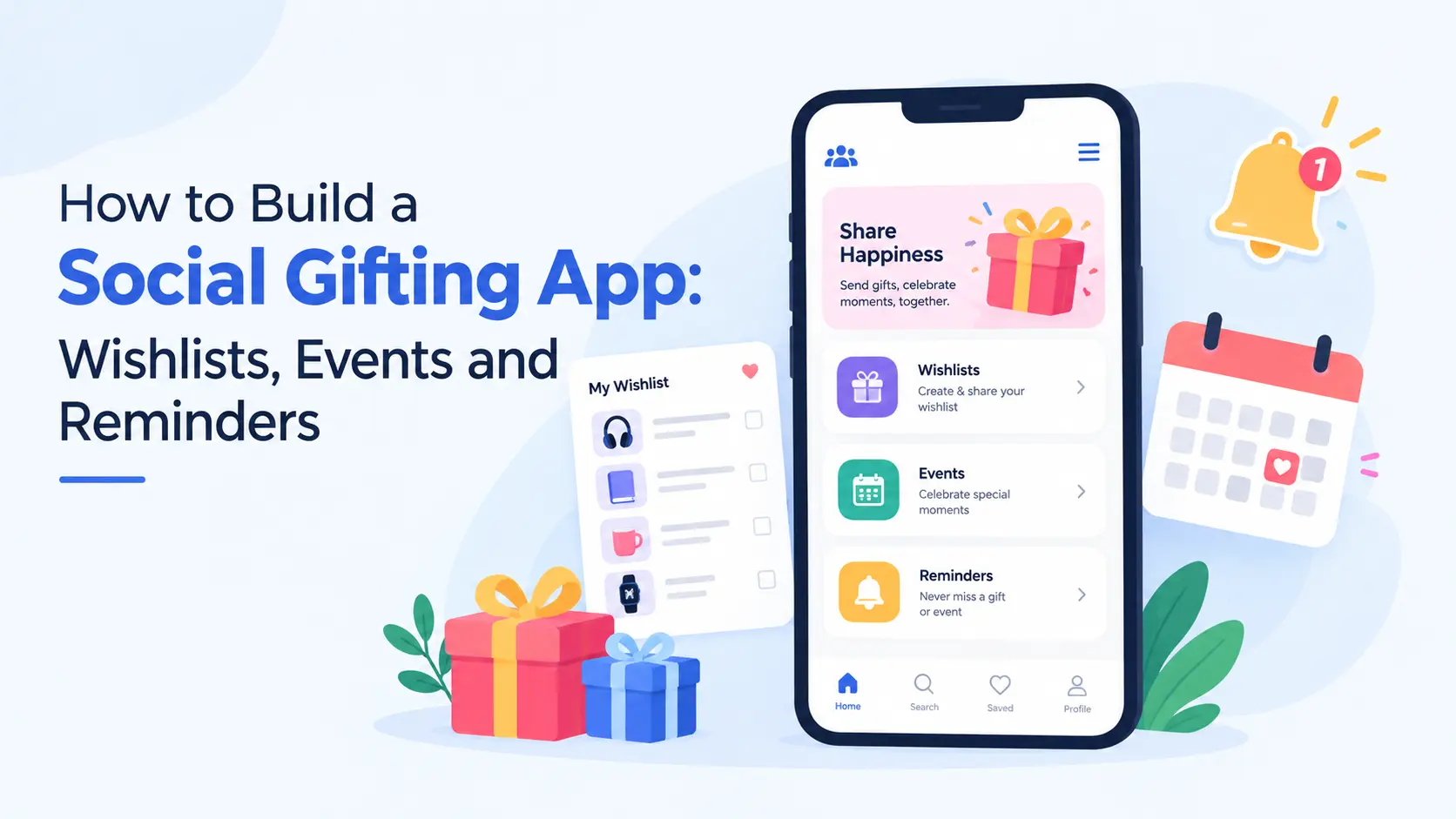
A social gifting platform generally combines three important functions:
- Wishlists: Help users organize and share products or gift ideas they would love to receive.
- Events: Allow users to create occasions, invite participants, and coordinate gifting activities.
- Reminders: Notify users about upcoming celebrations and important gifting deadlines.
Together, these features create a more organized and collaborative gifting experience.
Why Build a Social Gifting App?
A social gifting app brings wishlists, event planning, and gift coordination together, making the entire gifting process more convenient for users while creating business opportunities.
1. Simplifies Gift Planning: Users can manage wishlists, explore gift ideas, and track upcoming occasions in one place instead of switching between shopping websites, calendars, and messaging apps.
2. Prevents Duplicate Gifts: Gift reservation features allow friends and family to coordinate purchases, reducing the chances of multiple people buying the same present.
3. Makes Gifting More Personal: Shared wishlists and personal preferences help users choose gifts their loved ones actually want, making every occasion more thoughtful.
4. Improves User Engagement: Birthdays, anniversaries, weddings, and other celebrations give users reasons to return to the platform throughout the year, especially when supported by useful reminders.
5. Creates Business Opportunities: Social gifting platforms can generate revenue through affiliate partnerships, premium subscriptions, merchant collaborations, and other monetization models.
6. Encourages Social Connections: Shared events, collaborative wishlists, and group gifting features make it easier for friends and families to plan celebrations together, creating a more connected gifting experience.
Essential Features of a Social Gifting App
A successful gifting application should make common activities feel effortless. Users should be able to add an item, share a wishlist, plan an event, or set a reminder without navigating through unnecessary screens.
Here are the features worth considering during development:
1. User Registration and Personal Profiles
Personal profiles provide the foundation for a social gifting platform. Users should be able to create accounts, manage their information, and maintain preferences relevant to gifting.
Important capabilities include:
- Email or supported social sign-in options
- Profile pictures and display names
- Birthdays and other important dates
- Gift interests, favourite categories, and preferences
- Privacy settings for personal information
- Account management and deletion options
However, avoid collecting excessive information during registration. A lengthy onboarding process can discourage someone who simply wants to create a birthday wishlist. Instead, allow users to complete their profiles gradually.
2. Wishlist Creation and Management
Wishlists are one of the most important parts of a social gifting app. They help recipients communicate their preferences without repeatedly answering the familiar question, “What would you like as a gift?”
Users should be able to create multiple wishlists for different occasions, interests, or groups. For example, someone might maintain a birthday wishlist, a home essentials list, and another for books they want to read.
Key wishlist features include:
- Adding products through links, images, or manual entries
- Including product names, descriptions, and preferred variations
- Organizing gifts into categories
- Setting priorities for preferred items
- Editing or removing wishlist entries
- Sharing lists through private invitations or links
- Controlling who can view each wishlist
You can also introduce gift reservation functionality. When someone selects an item to purchase, the platform can mark it as reserved for other gift-givers. However, the recipient should not necessarily see who reserved the gift. Otherwise, the surprise disappears before the celebration even begins. This requires separate visibility rules for recipients and gift-givers.
3. Event Creation and Management
Gifting usually happens around an occasion. Therefore, event management should be closely connected with wishlists. Users can create events for birthdays, weddings, anniversaries, baby showers, graduations, housewarmings, and other celebrations.
Each event can contain relevant information such as:
- Event name and description
- Date, time, and location, where applicable
- Host or organizer details
- Guest invitations and responses
- Associated wishlists
- Gift coordination preferences
For example, a person organizing a baby shower could create an event, invite guests, and attach a wishlist containing essential items. Guests would then have access to both the celebration details and relevant gifting suggestions.
It is important to distinguish between public events and private celebrations. Users should control who can discover an event, view its details, and access its associated wishlist.
4. Smart Reminders and Notifications
Even the most thoughtful person can forget an important date, especially when work, family responsibilities, and everyday commitments become overwhelming. That is where reminders become useful. A social gifting application can notify users about birthdays, anniversaries, upcoming events, and gifting deadlines.
Consider including:
- Custom reminders before important occasions
- Notifications for event invitations
- Updates when shared event details change
- Alerts about relevant wishlist changes
- Optional reminders to purchase or prepare gifts
- Notification preferences and quiet hours
Users should decide when and how frequently they receive reminders. For example, someone ordering a personalized gift may prefer an earlier reminder, while another person might only need a notification shortly before the occasion. Importantly, reminders should remain helpful rather than intrusive. Sending too many notifications can make users disengage or disable them entirely.
5. Social Connections and Wishlist Sharing
The social aspect is what distinguishes this platform from a basic wishlist application. Users should be able to connect with people they know and share relevant gift information. Potential features include friend invitations, private groups, shared wishlists, event discussions, and collaborative gift planning.
For instance, several friends might want to purchase one expensive gift together. A group gifting feature could help them coordinate their contributions. However, adding payment collection introduces additional responsibilities involving payment processing, refunds, and transaction records. For an initial version, you can begin with coordination features and introduce financial transactions once the necessary infrastructure is ready.
6. Gift Discovery and Recommendations
Sometimes, users know the occasion but have absolutely no idea what to buy. Gift discovery can help them explore relevant options based on information they choose to share.
Useful filters may include:
- Occasion or celebration type
- Product category
- Recipient interests
- Budget range
- Age-appropriate categories where relevant
- Items already added to a wishlist
A recommendation system does not necessarily require artificial intelligence from the beginning. For an MVP, category filters, wishlist priorities, and straightforward recommendation rules may be sufficient. More advanced personalization can be considered after the platform has enough appropriate data and users have consented to its use.
7. Gift Reservation and Group Gifting
One common problem with shared wishlists is duplicate gifting. Two friends may independently purchase the same item without realizing it. A reservation system can help prevent this. When someone selects a wishlist item, the app can update its availability for other gift-givers.
However, the system should also allow reservations to be cancelled or released if a purchase does not happen. For group gifting, you can introduce contribution tracking, participant invitations, and shared progress updates. If actual payments are involved, you will also need transaction handling, contribution refunds, and payout management.
How to Build a Social Gifting App: Step-by-Step Process
Once the core features are clear, the next step is turning the concept into a working application.
Step 1: Define Your Target Audience and Business Model
Before development begins, identify who the application is meant to serve. A platform designed for families may prioritize recurring birthdays and private wishlists. Meanwhile, an application focused on weddings may require guest management, gift reservations, and detailed event planning.
Start by answering a few questions:
- Who will use the application most frequently?
- Which gifting problems are they currently facing?
- Will the platform focus on individual or group gifting?
- Will users purchase gifts within the app or through external stores?
- Which features are essential for the first release?
These decisions will influence your development scope, interface, and monetization approach.
Step 2: Design the User Experience
A gifting application should feel personal, welcoming, and easy to navigate. Start by mapping the main user journeys: creating a wishlist, sharing it, adding an event, receiving a reminder, and reserving a gift. Then, prepare wireframes showing how users move between screens.
Pay particular attention to the wishlist creation process. Adding a gift should require minimal effort, especially when someone is saving several ideas. Likewise, event creation should not demand unnecessary information. Users should be able to create a simple birthday reminder without completing an elaborate event form.
Step 3: Choose the Technology Stack
The technology stack depends on your preferred platforms, development expertise, and expected functionality.
| Component | Common technologies |
| Mobile application | Flutter, React Native, Swift, Kotlin |
| Backend development | Node.js, Python, Java |
| Database | PostgreSQL, MySQL, Firebase Firestore |
| Authentication | OAuth-based sign-in, managed authentication services |
| Notifications | Firebase Cloud Messaging, platform notification services |
| Cloud infrastructure | Managed cloud hosting and storage |
| Payment processing | A payment provider supporting the required transaction model |
Choose technologies based on actual requirements rather than popularity alone.
Step 4: Develop the Backend and Database
The backend manages the relationships between users, wishlists, events, reservations, and notifications. Your database may need separate records for user profiles, wishlist items, event participants, invitation permissions, and reminder preferences. Pay particular attention to concurrent reservations.
If two people attempt to reserve the same gift simultaneously, the backend should prevent conflicting updates through appropriate database transactions or equivalent concurrency controls. Access permissions must also be enforced on the server, not simply hidden through the interface.
Step 5: Integrate Events and Reminders
Build a scheduling system that supports one-time and recurring occasions. For example, birthdays usually repeat annually, while a graduation celebration may occur only once. If calendar synchronization is part of your product, the Google Calendar API supports event creation, recurrence rules, and reminder settings.
Your application should also handle time zones, modified dates, cancelled events, and users who disable notifications. According to Apple’s notification guidance, applications should request the necessary permissions and avoid sending excessive or irrelevant alerts.
Step 6: Implement Security and Privacy Controls
Social gifting platforms can store personal dates, relationships, preferences, and potentially delivery addresses. This information deserves careful protection.
Important development considerations include:
- Secure authentication and session management
- Encryption for sensitive data in transit and appropriate data at rest
- Access controls for private wishlists and events
- Secure invitation and sharing links
- Clear data collection and retention policies
- Account deletion and data management options
- Protection against unauthorized access to gift reservations
Avoid making wishlists or personal occasions publicly discoverable without clear user consent.
Step 7: Test and Launch the Application
Before launch, test complete gifting journeys rather than individual screens alone. For example, create an event, invite participants, share a wishlist, reserve an item, and verify that the appropriate users receive updates.
Test unusual situations too. What happens when a wishlist is deleted after someone reserves a gift? What if a reminder is scheduled for an event that gets cancelled? Also, evaluate performance across supported devices, accessibility, notification delivery, and account security. Begin with a manageable release, collect feedback, and improve the application based on actual usage.
How Can a Social Gifting App Generate Revenue?
A social gifting platform can support several monetization models, depending on its audience and purchasing workflow.
- Affiliate Commissions: The app can direct users to participating retailers through tracked product links. Revenue depends on the relevant affiliate agreements and qualifying purchases.
- Premium Subscriptions: Offer optional paid features such as advanced event organization, additional customization, or enhanced group planning tools.
- Merchant Partnerships: Retailers may pay for agreed promotional placements or other commercial services. Sponsored recommendations should be clearly identified.
- Transaction Fees: If the application processes eligible group gifting payments or marketplace transactions, it may charge a disclosed service fee.
Payment infrastructure requires additional planning. For example, Stripe Connect documents capabilities for routing payments and distributing funds between parties, subject to regional availability and platform requirements.
The important thing is to keep monetization from interfering with the gifting experience. People should still feel that recommendations serve their preferences rather than simply promoting the highest-paying products.
What Should You Include in the First Version?
- Building every possible feature at once can make development unnecessarily complicated.
- For a minimum viable product, focus on the functions that support a complete gifting journey.
- Start with user accounts, wishlist creation, private sharing, basic event management, reminders, and gift reservations.
- Once users can successfully complete these activities, consider expanding into group payments, advanced recommendations, retailer integrations, and premium personalization.
This approach also helps you understand which features users actually value before committing resources to more complex development.
Challenges to Consider During Development
Some of the biggest challenges in social gifting applications are easy to overlook.
Maintaining Accurate Product Information: If users save items from external stores, prices and availability may change. Product integrations must account for outdated links and unavailable items.
Protecting Gifting Surprises: Reservation details should remain visible to the appropriate gift-givers without revealing purchases to recipients.
Managing Reminder Reliability: Notifications must account for time zones, permission changes, recurring events, and modified schedules.
Encouraging Meaningful Engagement: Users need a practical reason to return beyond the occasional celebration. Useful reminders and easy wishlist updates can support this goal without excessive promotional messaging.
Handling Financial Transactions: Group contributions introduce payment failures, refunds, disputes, and potentially regulatory obligations. These requirements should be addressed before launching payment functionality.
Final Thoughts
Building a social gifting app is not simply about helping people choose products. It is about making the little moments of remembering, planning, and celebrating easier. A thoughtful wishlist can remove the uncertainty of gift selection. An organized event can bring everyone together. And a timely reminder can help someone avoid missing an occasion that matters.
For businesses, the best approach is to begin with these essential experiences and build around genuine user needs. Focus on simple navigation, dependable reminders, privacy, and smooth gift coordination. Once these foundations work well, additional features can make the platform more engaging without making it unnecessarily complicated. After all, technology should make gifting more convenient while leaving room for the thought and emotion that make a gift meaningful.
Your questions, our answers
A social gifting app helps users create and share wishlists, organize celebrations, receive reminders, and coordinate gifts with friends or family.
Yes. Developers can implement privacy controls that allow users to restrict wishlist access to selected people or invited groups.
No. Basic wishlists, event management, and reminders can work without AI. Advanced recommendations can be added later if they provide meaningful value.
Yes. Group payments can be integrated through suitable payment infrastructure, provided the platform addresses transaction security, refunds, and applicable requirements.
Development time depends on the features, platforms, integrations, team capacity, and testing requirements. A reliable estimate requires a defined project scope.