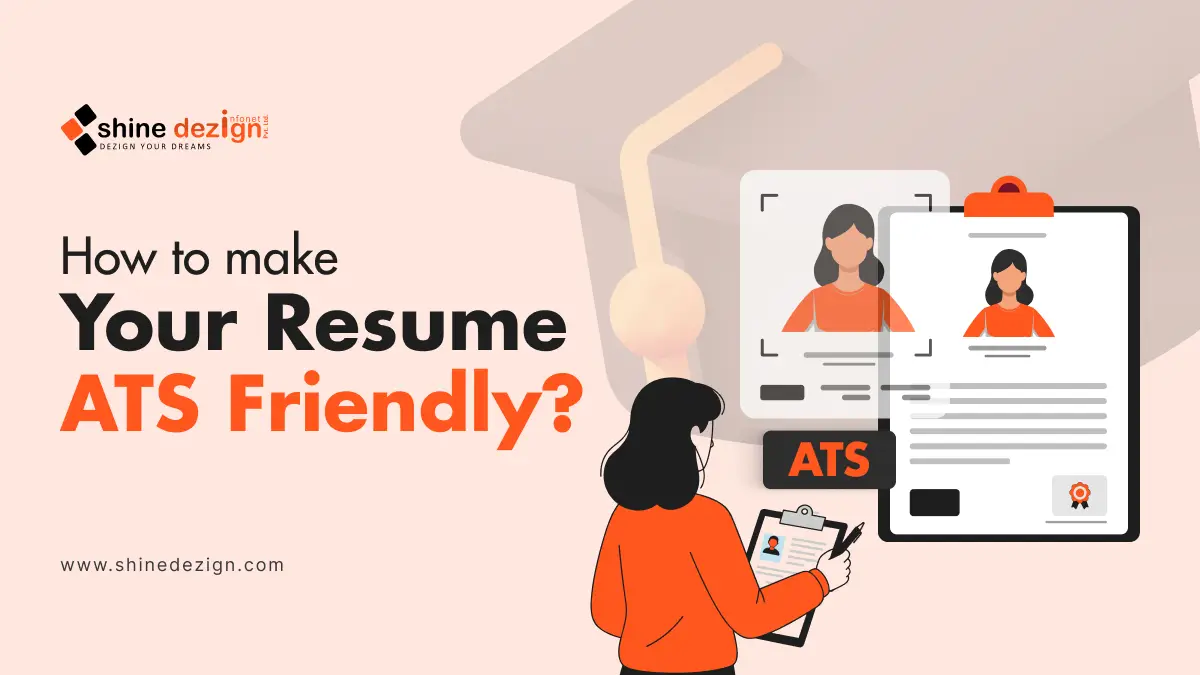
Knowing how to make your resume ATS-friendly is no longer optional; it’s essential. Most companies now rely on Applicant Tracking Systems (ATS) to screen resumes before a recruiter ever sees them. If your resume isn’t optimized for these systems, it may be rejected automatically, even if you are highly qualified. From choosing the right format to using the correct keywords and structure, small mistakes can significantly impact your chances. This guide explains everything you need to know to convert your resume to ATS format, use an ATS-friendly resume template, and improve your chances of landing interviews.
What is an ATS and why does It Matter?
An Applicant Tracking System (ATS) is a recruiting tool that scans, parses, scores, and filters resumes before a hiring manager ever reviews them. Its primary goal is to rank candidate resumes and help recruiters handle large applicant volumes efficiently.
- Nearly 98.8% of Fortune 500 companies use ATS software.
- About 75% of resumes are filtered out by ATS before reaching a human reviewer.
- Recruiters spend just 6 – 8 seconds scanning a resume before forming an initial impression.
This means your resume must appeal to both algorithms and humans; simplicity and structure are key.
How Applicant Tracking Systems Work?
ATS software parses your resume and turns it into structured data. It breaks your content into recognizable fields like “Work Experience,” “Skills,” “Education,” and “Contact Info,” then compares that data to the job description’s requirements. Resumes with a more transparent structure and stronger keyword matches rise in internal ATS rankings.
Why ATS Rejection Happens Before Human Review?
If your resume has unreadable formatting or missing keywords the ATS expects based on the job description, the system may reject it outright, meaning it never reaches a recruiting manager’s desk. Some ATS implementations never even attempt to pass misformatted resumes forward.
What are the Common ATS Resume Myths that Impacts Your Job Chances?
“Creative Designs Improve Visibility”
Many candidates believe that colours, graphics, or visual designs make their resume stand out. But ATS software often ignores or misreads these elements, leading to parsing failures and automatic rejection.
“ATS Can Read Any Format”
Not all formats are created equal. Tables, columns, and text boxes may look neat, but they usually break parsing protocols. Stick to straightforward, single-column layouts.
“Keyword Stuffing is Enough”
Simply repeating important words won’t guarantee ATS success. Modern systems analyse context, relevance, and placement, not just frequency.
What are the Best Resume Formats for ATS Compatibility?
Use Reverse-Chronological Format
ATS systems expect familiar resume structures: Header → Summary → Experience → Skills → Education. A reverse-chronological format helps systems identify progression and relevance.
One-Column Layout vs Two-Column Layout
A single-column resume is almost always safer. Multi-column designs often confuse parsing logic and lead to missed information.
Ideal Resume Length for ATS
ATS doesn’t care about pages; it cares about clarity. One to two pages is standard. Keep your resume concise but complete enough to include important keywords.
What are the common Fonts, Design, and Layout Rules for ATS?
ATS-Safe Fonts to Use
Use standard, ATS-friendly fonts like Arial, Calibri, Helvetica, or Times New Roman. Anything too stylized may not parse correctly.
Margins, Line Spacing, and Alignment
Use consistent 1-inch margins and left-aligned text. This makes each section easy to read for both ATS and human reviewers.
Why Icons, Graphics, and Tables Fail ATS
Graphics and embedded objects may be ignored or misinterpreted by ATS. This can result in data loss or content misplacement in parsing fields.
How to Write an ATS-Optimized Resume Header?
Correct Way to List Name, Phone, and Email
Your name and contact info should be in plain text at the top. Avoid placing them in headers/footers, which some ATS ignore.
LinkedIn and Portfolio Links: Do’s and Don’ts
Include URLs as plain text, not embedded links. ATS can read them more reliably this way.
What Not to Include in the Header
Avoid unstructured social handles, QR codes, and images; they may not parse correctly.
How to Write an ATS-Friendly Resume Summary?
Keyword Placement in the Summary
Place important role-specific keywords in the summary so that ATS understands your relevance early.
Tailoring the Summary to Job Descriptions
If the job posting emphasizes “project coordination”, use that exact phrase instead of generic wording.
Example of an ATS-Optimized Summary
“Experienced Digital Marketing Specialist with 6+ years in SEO, SEM, analytics, and campaign optimization. Improved conversion rates by 40% through targeted strategies.”
This sentence integrates clear keywords and quantifiable results.
How to Optimize Work Experience for ATS?
Using Standard Job Titles
Use conventional job titles that match common industry language or job posting terminology. ATS may not recognize creative titles.
Bullet Point Structure That ATS Can Parse
Structure bullet points as action verb + task + outcome. This approach is both ATS-readable and recruiter-friendly.
Action Verbs + Metrics + Keywords Formula
For example: “Improved customer retention by 25% through CRM strategy implementation (Salesforce, segmentation, automation).”
This combines metrics with keywords for maximum clarity.
How to Write the Skills Section: The Most Critical ATS Component?
Hard Skills vs Soft Skills for ATS
ATS prioritizes hard skills (e.g., Python, SQL) because they map directly to job requirements. Soft skills are still useful, but they should not be the focus.
How to Extract Keywords from Job Descriptions
Use the job description itself to spot repeated words/phrases; these are likely the skills ATS is scanning for.
Skills Formatting That Passes ATS Scans
List skills as comma-separated bullet points rather than embedding them in paragraphs. The clearer the list, the easier to extract.
How to Format Education Section for ATS?
Degree Naming Conventions ATS Recognizes
Use full degree names (“Bachelor of Science in Computer Science”) with abbreviations in parentheses if needed. This increases parsing accuracy.
Certifications, Courses, and Licenses
Include certifications under a clear heading; many job postings screen for certification keywords.
Where to Place Education on the Resume
If you are a student or fresher preparing your resume for your first role, especially through an internship program, placing your education section strategically can significantly improve ATS visibility.
What are the Common File Type and Naming Rules for ATS?
PDF vs DOCX: Which is Safer?
Word (.doc/.docx) files are most reliably parsed by ATS, though PDFs may work if the system supports them. Always follow the employer’s instructions.
How to Name Your Resume File Correctly
Use a professional file name like: Firstname_Lastname_Position.docx, which helps recruiters immediately identify your resume.
When PDFs Can Break ATS Parsing
Some ATS systems struggle with PDFs, particularly those with complex formatting or non-text elements. When in doubt, use .docx.
How to Tailor Your Resume for Each Job Application?
Matching Keywords Without Keyword Stuffing
Include key job terms naturally; don’t repeat them unnaturally to game the system. ATS systems today monitor authenticity.
Mirroring Job Description Language
If a role lists “data analysis and reporting,” use that exact phrase rather than synonyms. Matches in wording often improve ATS scores.
Creating Multiple ATS-Optimized Versions
Develop separate resume versions for different career focuses (e.g., software engineering vs data analysis) so you can tailor quickly.
Prepare an ATS Resume Checklist Before You Apply
Final Formatting Check
Ensure your resume has no columns, graphics, or unusual fonts. Keep it clean and machine-readable.
Keyword Match Verification
Check that your resume hits primary job keywords at least 2-4 times, where contextually appropriate.
Human Readability Test
After you optimize for ATS, read your resume aloud or have a friend review it for clarity before you submit.
Prepare an ATS Resume Checklist Before You Apply
Final Formatting Check
Ensure your resume has no columns, graphics, or unusual fonts. Keep it clean and machine-readable.
Keyword Match Verification
Check that your resume hits primary job keywords at least 2-4 times, where contextually appropriate.
Human Readability Test
After you optimize for ATS, read your resume aloud or have a friend review it for clarity before you submit.
Common Free Tools to Test Your Resume for ATS Compatibility
ATS Resume Scanners
Tools like Jobscan let you test your resume against specific job descriptions and see how many keywords you match. They can simulate ATS parsing behaviour.
Keyword Comparison Tools
Some apps show you which job keywords you are missing, helping you adjust your skills section more effectively.
Resume Parsing Simulators
Copy and paste your resume into plain text or use free ATS checkers to see how your formatting holds up; if content collapses or drops, ATS likely struggled.
What are Some ATS-Friendly Resume Example (Before and After)?
Non-ATS Resume Breakdown
A resume with columns, icons, multiple font types, and embedded graphics is likely unreadable to ATS and easily discarded.
ATS-Optimized Resume Improvements
Single-column layout, standard headings, clear bullet points with keywords, and file type .docx dramatically improve parsing success rates.
Key Takeaways from the Example: Clarity + structure + keywords help both machines and humans assess your qualifications fairly.
Conclusion
Creating an ATS-friendly resume is about clarity, relevance, and structure, not flashy design. When you understand how ATS software scans, parses, and ranks resumes, you can tailor your content to pass automated filters and still appeal to human recruiters.
By using standard formats, relevant keywords, clear section headings, and ATS-compatible file types, you significantly increase your chances of getting shortlisted. Whether you are applying for your first job or making a career move, learning how to make your resume ATS friendly ensures your skills and experience are seen where it matters most, by hiring managers.
Your questions, our answers
An ATS-friendly resume is one that can be easily read, parsed, and ranked by Applicant Tracking Systems. It uses simple formatting, standard headings, relevant keywords, and avoids graphics or complex layouts that ATS software cannot interpret.
To make your resume ATS friendly, use a reverse-chronological format, a single-column layout, ATS-safe fonts, and keywords from the job description. Avoid tables, graphics, icons, and headers or footers.
To convert your resume to ATS format, remove visual elements, switch to a simple Word (.docx) file, use standard section headings, and rewrite content using job-specific keywords in a natural way.
Yes, using an ATS friendly resume template helps ensure proper structure, spacing, and formatting. These templates are designed to be machine-readable while still looking professional to recruiters.
Word (.doc or .docx) files are generally safer because they are more reliably parsed by ATS. Some systems accept PDFs, but complex formatting in PDFs can cause parsing errors.
Yes. ATS systems can automatically filter out resumes that lack required keywords, use incompatible formatting, or fail to meet job criteria, often before a human recruiter reviews them.
Keywords are critical. ATS software compares your resume keywords with the job description. Including relevant skills, job titles, and tools increases your match score and visibility.